


How many times a day do you hear the phrase “will you send me the budget by WhatsApp?” Surely many.
And the reality is that it is super practical: you open the WhatsApp conversation with the lead, attach the PDF and that’s it.
But the problem comes later: do you know if they opened it and if they checked it? No…there’s no way of knowing…Well, actually, yes.
And that’s why I wrote this article. To explain how to send a quote by WhatsApp; to do it right…with context, with commercial intent and, above all, without losing follow up along the way.
Subscribe to Clientify’s blog
Do you like marketing, automation or just seeing how other people do things right? Then subscribe.
Every week we send you what we would like to receive: direct and actionable content.
Accelerate your sales by sending quotes via WhatsApp
You know that WhatsApp works because it reduces friction. And yes… think that the customer doesn’t have to open the email, look for the attachment or have time to sit down and look at it.
In WhatsApp, he receives the message, sees it at the moment and, if something doesn’t fit, he answers you right there.
In addition, WhatsApp transforms a quotation from a cold, distant and taboo document to a typical back and forth at the time of sale.
Being such an immediate channel, you can explain it, contextualize it and resolve doubts in real time, thus speeding up the decision making process.
But… WhatsApp also has a treacherous side. Think that if you send a quote without explaining anything, without summarizing what is important or without making it clear what the next step is, it will most likely be diluted. And not because the client is not interested, but because WhatsApp is fast and very easy to forget.
That’s why sending a quote by WhatsApp works when you are clear about what to send, how to accompany it and what to do next.
3 ways to send a quotation by WhatsApp
Over time we have found that not all companies send quotations in the same way.
In general, it depends on how many quotes you have to send, how many people are in the sales area and how much follow-up you need to do.
From the cell phone:
Yes, sending a quote from your cell phone is the most common thing to do when you are starting out or when your lead volume is still low. You attach the PDF, write the message and that’s it. It’s fast and convenient…as long as you are selling on your own.
The problem appears when the days go by. New messages arrive, new contacts write to you and that budget is forgotten.
And if you have several clients, remembering who you sent it to, when and under what conditions starts to be more difficult than it seems.
From WhatsApp Web:
WhatsApp Web is the version you use from your computer. It allows you to write better and more agile, attach documents more easily and review conversations with a little more context.
Even so, the heart of the problem still exists: the history is still in the chats; and not in a system designed for sales. So if someone else from the team wants to enter the conversation, or if you need to review old quotes, everything still depends on searching the messages one by one.
From a CRM:
When the volume of contacts grows, when there is more than one person selling or when you need to know what is happening with each opportunity, that’s when WhatsApp stops being just a chat.
And that’s why sending a quote from an integrated CRM to WhatsApp, while connected to WhatsApp, changes absolutely everything: it allows you to have control, context and tracking in one place.
In addition, each quote is associated with a contact, an opportunity and a moment in the process. You know when it was sent, you can schedule automatic follow-ups and you don’t depend on memory or reviewing old conversations to understand what happened.
And precisely, a CRM is the way to prevent WhatsApp, which today helps you sell faster, from ending up being the reason why you miss out on opportunities.
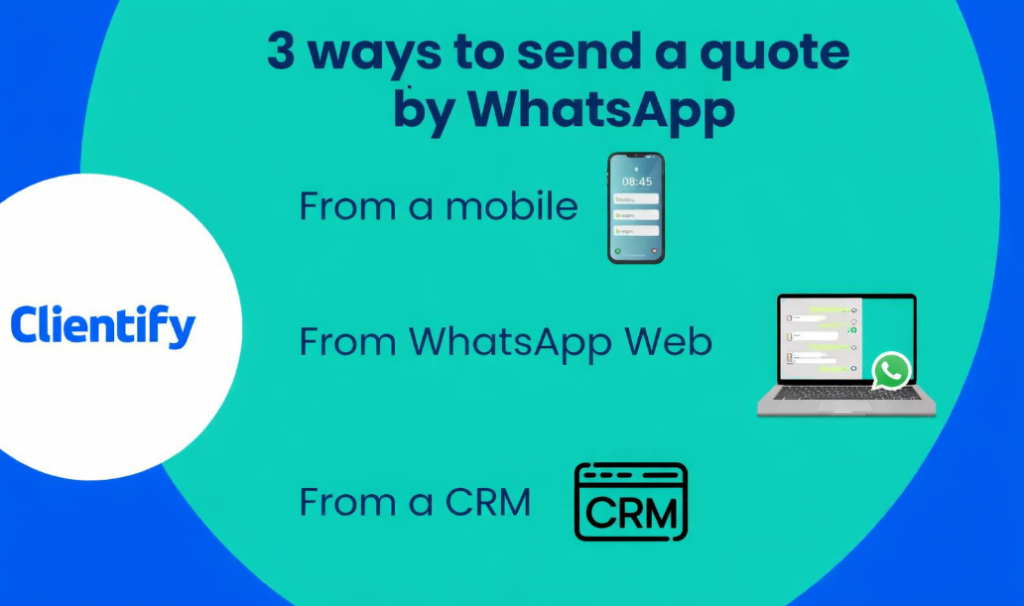
You saw… although there are different ways to send a quote by WhatsApp, there is something that always makes the difference: having a CRM from where you can send quotes. And remember that the more volume you have, the more equipment and control you need.
Benefits of sending quotes via WhatsApp API from Clientify
As we saw in this other post, the CRM Clientify gives you the ability to create and send quotes, both by email and WhatsApp. There I left the link for you to see the step by step on how to do it.
But on the other hand, the important thing about using WhatsApp API within this CRM is that your negotiation and follow-up process is no longer improvised; to start selling your products and services with an orderly and automated process:
- All quotations are automatically registered:
Every quote sent is associated with the right contact and the right opportunity. You don’t have to remember who you sent it to or when; it’s all saved and accessible. - Scheduled follow-ups without depending on your memory:
You can create different automatic flows and define when is the right time for the system to send in the appropriate follow-up message. - Teamwork without stepping on conversations:
If you have multiple people working on the sales team, everyone sees the complete history. This avoids duplicate messages and conflicts between colleagues over commissions and sales. - More control over the status of each opportunity:
Clientify CRM lets you know which quotes are sent, which ones are still open, which ones were rejected and which ones have gone cold, without having to go through chats one by one. - It scales without losing the close relationship:
The important thing is that, for the customer, it’s still a typical normal WhatsApp conversation. While for you, it is a channel that is orderly, measurable and prepared to grow without chaos.
Integrating your WhatsApp API to Clientify doesn’t change the way the customer receives your quote, but it does radically change the way you manage your sales. And when that happens, closing opportunities no longer depends on luck.
What message should accompany your budget?
There…you’ve created your Clientify quote; now it’s time to send it.
As we said before, when selecting the type of sending, you can choose between sending it by email or through an Inbox channel, which is where your WhatsApp will be connected to.
But whether by email or WhatsApp, this quote must be accompanied by a message.
Think of yourself as a stakeholder: if you receive a document via WhatsApp without context, what do you do? You probably open it quickly, close it and think that later you will have time to look at it properly. Well, your client does exactly the same thing. That’s why the message is key:
On the one hand, always remember to send a short summary and a call to action. Here it is not about explaining everything, but highlighting what is important and marking the next step. Something simple, clear and without leaving the closing in the air.
Then you have to do a gentle first follow-up. Remember that you are at the stage of following up, to give space for conversation, but not to make it uncomfortable or pressuring .
Unfortunately, there will always be some objection to the price. But the good thing is that WhatsApp, if you know how to use it, can play in your favor. Instead of justifying yourself right away, you can respond calmly, ask instantly what is causing them the most doubts and propose a call or a new meeting. This way you will understand the real objection before entering the negotiation stage.
Estimates have an expiration date. So another very useful template is the urgency template with a validity date. Not to scare you, but to order times. Keep in mind that urgency works only when it is clear and honest.
Finally, the closing with the next step. Here you no longer ask if they are interested, but explain directly what the next steps will be. And remember that when the path is clear, it is much easier for the customer to decide.
The good thing about having Clientify implemented as a CRM is that it allows you to create each of these WhatsApp templates, so that, once META has approved them, you can send them when you need to, both manually and automatically, always making sure to maintain the same tone and the same commercial criteria, without relying on improvisation.
Do it all with Clientify: capture, automate and close sales
Centralize all your communication, sales and marketing in one place. Try Clientify free and feel what it’s like to scale your business with AI without relying on experts.
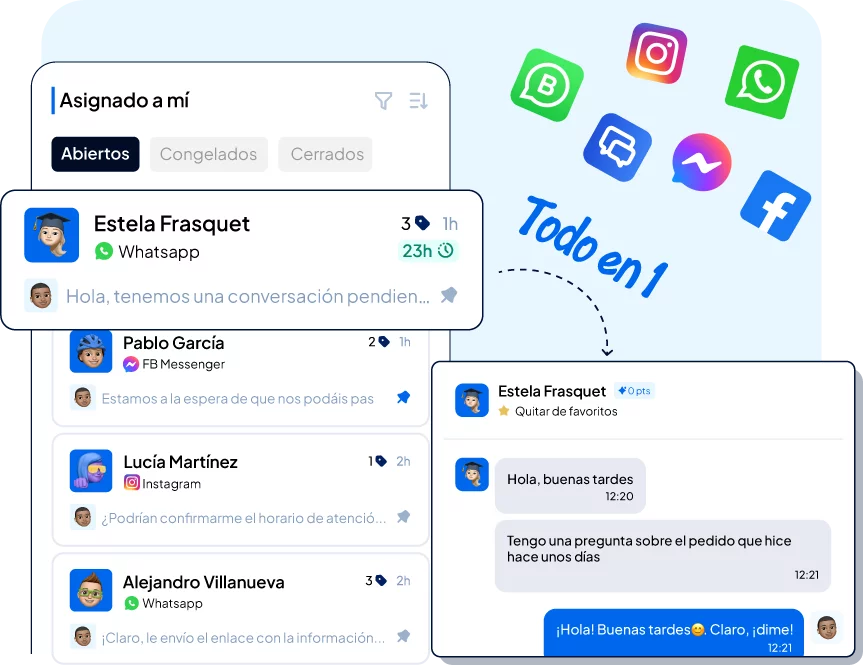
How to follow up on WhatsApp without seeming insistent
Many salespeople are afraid to follow up because they think they are insisting. But the reality is that following up is more about accompanying.
And in WhatsApp, no matter how correct the message is, the moment in which the message is sent, is the key.
Think in three tenses:
- At 24 hours, a first light contact makes sense, especially if the budget is simple.
- After 72 hours, you can go a little deeper and open a conversation if there was no response.
- And if after 7 days the silence continues, it is time to decide whether to reactivate with a different approach or to mentally close that opportunity so as not to drag it indefinitely.
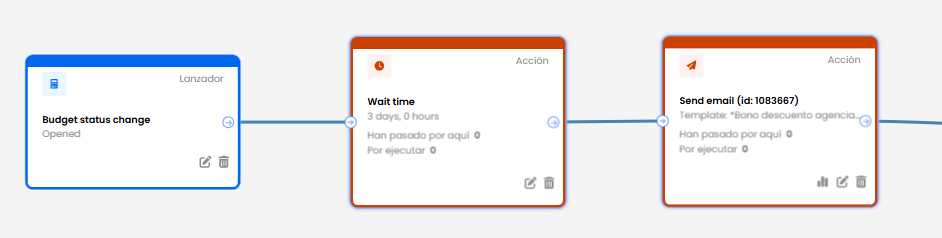
And here, the important thing is to know how that contact interacted with your budget.
If the lead opened the message and asked you a question, that opportunity is alive and deserves priority. If he asked for a change in the budget, you are at an advanced stage and the follow-up should be closer. If there has been total silence since the first message was sent, you should space out the messages more so as not to burn the relationship.
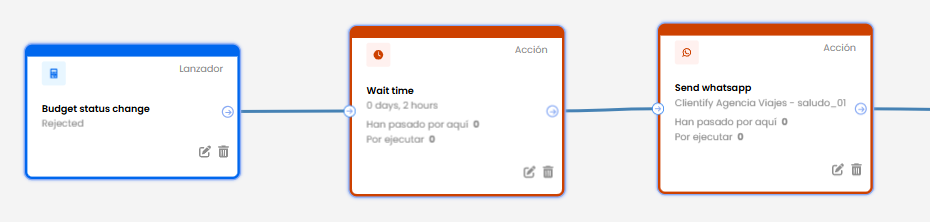
And since the goal is not to chase the customer, but to be present at the right time, Clientify gives you all the information: it allows you to see if the lead opened, accepted, rejected or paid the quote in order to trigger the right message… at the right time.
Mistakes to avoid when sending a quote via WhatsApp
Sending a quote by WhatsApp seems simple, but there are small details that can work against you.
Remember, these are not serious mistakes, but they are common enough to stop a sale without you even realizing it:
- Send the quote without context:
Attaching a PDF without explaining what it includes, what it refers to, or what you should look at first is an invitation to get lost among other messages. A couple of lines of context make the difference between them reviewing it… or leaving it for later. - Not making the next step clear:
If you don’t say what’s next, the customer isn’t always going to decide on their own – reply to you? Pay? Schedule a call? When there is no clear action, the conversation cools down even if the interest is there. - Not registering anything:
With small budgets it seems like everything is under control. But when the volume grows, not recording shipments, dates and conditions makes you rely on memory or reviewing chats one by one. That’s when the missed opportunities begin without anyone noticing.
Frequently Asked Questions
1. Is it legal to send quotes by WhatsApp in Spain and LATAM?
Yes, sending a quotation by WhatsApp is totally valid from a commercial point of view. The important thing is that the document includes the necessary information (company data, conditions, validity, taxes, etc.) and that the client has initiated or accepted the conversation through this channel.
2. Does WhatsApp replace email for sending quotes?
Not necessarily. WhatsApp is ideal for speeding up conversations and decisions, but in some cases email is still useful as a backup or for more formal communications. Many companies use both channels in a complementary way.
3. Can I send quotes with normal WhatsApp Business?
Yes, but the problem arises when you need follow-up, teamwork or traceability. That’s where WhatsApp Business falls short and you need a CRM that allows you to integrate your WhatsApp channel.
4. What happens if the customer does not respond after sending the quotation?
This is normal. That’s why follow-up is key. Defining clear timelines and appropriate messages prevents the opportunity from going cold without you realizing it.
When does it make sense to use WhatsApp API with a CRM?
When you send quotes on a recurring basis, you have several opportunities open at the same time or there is more than one person selling. At that point, the order is no longer optional.
Conclusion
You see, sending a quote by WhatsApp is not just attaching a PDF and waiting for a response.
The real difference is in how you create it, what message accompanies it and what happens after you send it.
When there is context, a clear next step and orderly follow-up , WhatsApp becomes a powerful channel to close sales faster. And when there isn’t, it’s all too easy for quotes to get lost, conversations to go cold and opportunities to slip away unnoticed.
So take advantage of Clientify’ s free trial and start managing your budgets with more order, tracking and visibility.