

If you have conversations split between WhatsApp, Instagram, Facebook and your web chat, then you know what it’s like to live with constant notifications, messages that get lost and customers that go unanswered.
So, have you already thought about centralizing your RRSS and WhatsApp chats? Believe me, unifying all conversations in a single inbox is the best way to regain control and thus manage to offer a much faster, consistent and professional attention.
That’s why I made this guide…to really tell you what it means to centralize channels, why it’s key for any business that wants to grow (without losing proximity) and how to do it with an Inbox like Clientify.
Subscribe to Clientify’s blog
Do you like marketing, automation or just seeing how other people do things right? Then subscribe.
Every week we send you what we would like to receive: direct and actionable content.
What does it mean to “centralize your social media and WhatsApp chats” ?
What do you think it means to “centralize your social media and WhatsApp chats”? Because if you think that to achieve this you need to be a computer expert or spend a bundle on installing more apps, then let me tell you that you are wrong.
Centralizing means having all conversations, from your contacts and customers, in one place and no matter where they write to you. It doesn’t matter if they contact you by WhatsApp, by an Instagram direct message or from your web chat: everything arrives in a single Inbox.
In addition, having everything unified allows anyone on your team to pick up a conversation without having to check someone else’s phone, search for screenshots or track emails from weeks or months ago.
This is exactly what gives you a complete view of each customer’s history; so you know exactly what they need, what you have offered them and where they are in the buying process.
And the important thing here is that you have a CRM that allows you to unify your channels, tag conversations, assign responsible people and measure the performance of the team… all from a single inbox, ordered and synchronized.
Key benefits of centralizing your chats
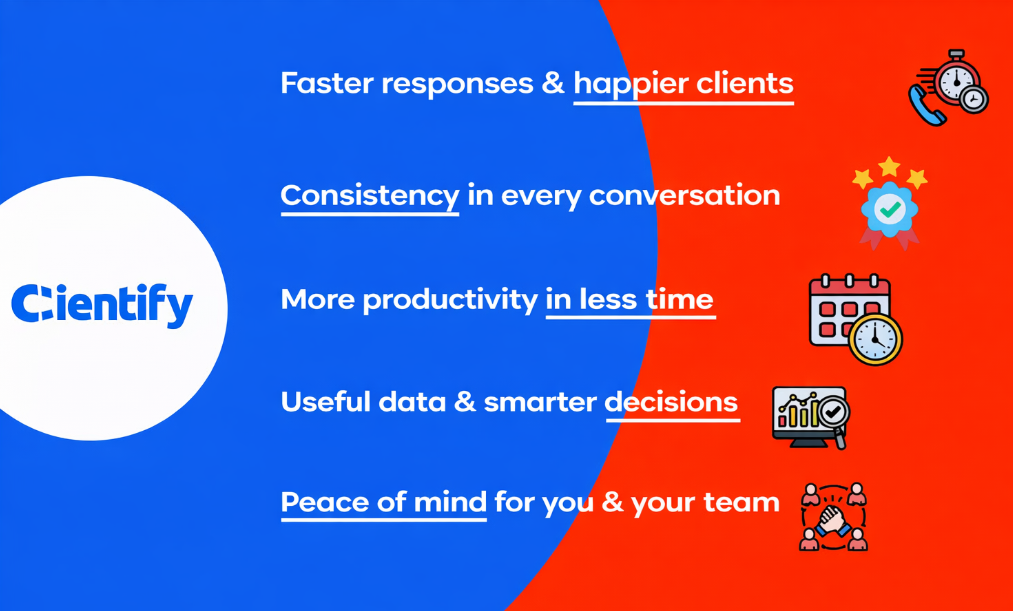
It’s not just about speed, it’s about consistency, productivity and control: your entire team working in alignment, every message managed with context and smarter decisions that make your service more professional and efficient.
- Faster responses and happier customers: By centralizing your chats, all messages arrive in the same place and you can respond in seconds without having to jump between apps. This way, your first response time (FRT) improves and customers perceive a much more agile and professional service.
- Consistency in every conversation: When your entire team sees the same history, every response maintains the same tone, information and style. That’s how you end the chaos of duplicate messages or contradictory responses, and your brand conveys trust from the first contact.
- More productivity in less time: With automatically assigned conversations, clear labels and defined flows, you avoid two people answering the same thing, or worse, a chat going unattended. Everything flows better, the team works more focused and opportunities are not lost.
- Useful data and intelligent decisions: A centralized Inbox allows you to measure response times, messages attended and the performance of each channel. This information is key to adjust strategies, optimize resources and continuously improve.
- Peace of mind for you and your team: Knowing that no message escapes you completely changes the work dynamic. In a few weeks you will feel the difference: less stress, more control and customer service that really works.
When WhatsApp Business is no longer enough
As we already know, WhatsApp Business is a great tool…there’s no doubt about it. It allows you to give some automatic responses, basic tags and is a super direct communication channel with your customers. But this application is designed for a single user.
And therein lies the problem…as soon as your small business starts to grow and you need more than one person to attend, everything gets complicated.
But, instead of relying on a single device or manually forwarding messages to your colleagues, a CRM with inbox allows several users to attend from the same account, each one with their own session, but all of them being able to see the history.
Moreover, the good thing about an omnichannel Inbox is that, in addition to connecting with WhatsApp, it connects with the rest of the channels, such as Instagram, Facebook, mail, Live chat, so that all conversations are unified in one place.
And yes…with WhatsApp Business you can reply to messages…but that’s it and that’s it.
Instead, an omnichannel Inbox helps you manage real relationships : you can assign each chat to the right agent, add internal notes for your team, automate follow-ups and create flows that sort queries effortlessly. And obviously leaving every conversation saved in the CRM so nothing gets lost.
4 essential features of an omnichannel Inbox
Centralizing social media and WhatsApp chats not only organizes your conversations, but also allows you to work more clearly and quickly.
With the right features, each message reaches the right person, is delivered with context and allows you to focus on closing new conversions.
Unification of channels:
As we have been mentioning from the beginning, the real value of Inbox is in centralizing the chats coming from WhatsApp, Instagram, Facebook Messenger, email or your web chat, in a single place.
This eliminates information silos and allows us to have a complete view of the customer, no matter where he/she has written from. In this way, each message is handled with context and coherence, offering a truly agile, fast and personalized service .
Intelligent assignment:
Thanks to automations, the Inbox can automatically assign each conversation to the most appropriate agent, based on keywords, language, product, level of urgency, randomness, etc.
In this way, each customer receives highly professional attention, so the team avoids wasting time manually reviewing or distributing new chats.
Automated responses and AI chatbots:
Chatbots can handle simple tasks: greeting, sorting queries or answering frequently asked questions.
But having a CRM that allows you to create chatbots with AI is the best way to empower your team. Precisely because these chatbots not only automate the repetitive, but also because they understand the intent of messages, suggest answers and prioritize urgent queries, helping each customer receive faster and more personalized attention.
Data analysis and security:
As we always say: measuring is one of the key steps for improvement.
And the great thing about an omnichannel Inbox is that it allows you to analyze how many conversations are coming in per channel, response times, team productivity and unattended messages.
This data provides a clear view of performance and helps to make strategic decisions.
Also remember that if you work in Europe or Latin America, it is essential that the CRM that includes this Inbox complies with the RGPD and guarantees data security.
| Function | What it does | Why it is important | How Clientify helps you |
| Unification of channels | Gather in one place all messages coming from WhatsApp, Instagram, Facebook Messenger, mail or web chat, eliminating information silos. | It allows you to see the complete history of each customer, respond with context and maintain message consistency regardless of the channel. | In Clientify‘s Inbox, each conversation is automatically synchronized with the CRM, showing the entire customer journey in a single view. |
| Intelligent assignment | Automatically distributes messages to the most appropriate agent based on keywords, language, product or level of urgency. | Saves time and avoids manual errors. Ensures that each customer receives prompt and professional attention. | With Clientify’s automatic assignment, you can define custom rules so that each message goes directly to the right person in charge. |
| Automated responses and AI chatbots | Chatbots handle basic tasks such as greeting, sorting or answering frequently asked questions, and AI helps interpret the intent of the message. | It allows you to offer 24/7 service, reduce operational burden and improve customer experience with faster and more personalized responses. | Clientify’ s AI-enabled chatbots learn from context, suggest responses and trigger automatic flows that nurture leads or generate opportunities in the CRM. |
| Data analysis and security | Measures how many conversations come in per channel, response times, team productivity and pending messages. GDPR compliant to protect data. | Data allows you to improve processes, optimize resources and maintain customer confidence through transparency and security. | Clientify offers detailed reporting , performance metrics and secure data hosting under European and Latin American regulations. |
Centralize social media and WhatsApp chats with Inbox Clientify
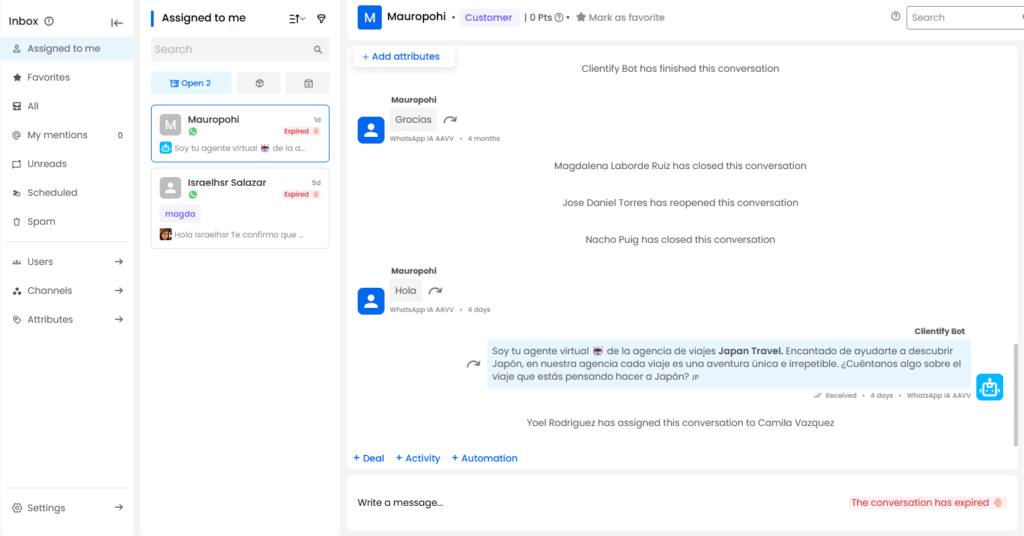
Clientify is the CRM that has the functionality to centralize social media and WhatsApp chats in a single Inbox.
The good thing about this one is that it allows you to have, in a single panel, all the messages that arrive from WhatsApp, Instagram, Facebook, etc.
In addition, since all the information is unified in the CRM, you have a 360-degree view of each contact, in which by entering their file, you can see a complete history of the campaigns they received, which products they consulted and which ones they bought, who they talked to, if they have an open sales opportunity , among others.
On the other hand, this Inbox Clientify is multi-user and collaborative… what does this mean?
Several team members can be attending chats at the same time, but without stepping on each other’s toes. In this way, each conversation is assigned (manually or automatically) to a specialized agent, with labels, internal notes and real-time tracking; and so you maintain order and ensure that no message goes unanswered.
Note that this Inbox links exclusively to the official WhatsApp Business API, the only connection to WhatsApp that allows you to automate flows, apply tags and trigger campaigns directly from the conversation.
And something super important: the reports of this Inbox will allow you to see the response times , the volume of chats attended, the load of each agent and the channel that is getting more chats… just everything you need to know to optimize customer service and turn these conversations into opportunities.
Measure the performance of your conversations
How do you know how you are attending if you are not measuring the performance of your conversations? Well, centralizing social media and WhatsApp chats not only improves your attention, but also allows you to measure it accurately.
And as mentioned above, Clientify has a report that allows you to analyze, by channel, the status of each conversation (open, closed, frozen), the number of conversations opened per day, how many conversations each user is managing, which channel manages to open the most chats, etc.
In addition, the beauty of these dashboards is that they give you a complete view of the flow of your conversationsand the workload your team is having, helping you to identify who is handling the most chats, so you can start redistributing tasks as needed.
It also allows you to evaluate which channels are the most effective, anticipate peaks in demand and ensure that all open or frozen conversations are attended to in a timely manner.
Having all this data allows you to make more strategic decisions when it comes to optimizing your service, improving your customers’ experience and keeping your team working in a more organized and efficient way.
A centralized Inbox is not an expense, it is an investment.
If you compare the cost of implementing a CRM with a centralized Inbox, with the hours you waste jumping between apps, the difference is abysmal. Every message that goes unanswered in time is a lost opportunity.
With a unified system, every conversation is handled faster, better documented and transformed into more than a potential sale.
Another important thing: keep in mind that costs are not only measured in money, but also in reputation…and a customer who expects an immediate response and doesn’t receive it will leave with your competitor faster than you think.
So let me give you a piece of advice: implementing an omnichannel Inbox is not an expense, it is an investment that gives you back time, focus and satisfied customers…and that is exactly what you can see in conversion and loyalty metrics.
Frequently Asked Questions
1. What are the real advantages of centralizing RRSS and WhatsApp chats in a single Inbox?
Centralizing your chats means that all conversations arrive in one place, no matter from which channel the customer writes to you. This prevents messages from getting lost, allows any team member to pick up a chat with full context, maintains consistency in every response, and makes it easier to measure and optimize attention.
In short, centralizing chats gives you control, efficiency and a more professional experience for your customers.
Do I need an official WhatsApp API to centralize my chats?
Yes, official integrations ensure that your messages are delivered without blocking, comply with Meta’s policies and allow you to work with multiple users at the same time.
3. Can I automate responses without losing the human touch?
Yes, in the case of Inbox Clientify, it has integrated chatbots. This way, the bot takes care of repetitive tasks, such as greeting, sorting queries or answering frequently asked questions, while your team focuses on conversations that require personalized attention.
The important thing is that each of these responses (both automatic and manual) are recorded and unified in the same conversation.
4. What is the difference between an Inbox and a chatbot?
The Inbox is the space where RRSS and WhatsApp chats are centralized and where human agents answer and manage conversations. The chatbot is an additional layer that helps you automate tasks.
Ideally, the two should work together: the bot sorts and responds while the team focuses on the conversations they convert.
5. Can I use Inbox from my cell phone?
Of course. An Inbox must be accessible from any device. In fact, being able to answer and respond from a mobile device is key for sales or service teams working outside the office.
6. How to ensure data security?
Always choose platforms that comply with GDPR and use secure servers in Europe or Latin America.
In Clientify, all information is stored encrypted and with access control per user.
Conclusion
Did you see? Centralizing RRSS and WhatsApp chats is not just a matter of order: it is the most effective way to regain control of your conversations, serve your customers quickly and consistently, and ensure that no opportunity is lost.
By unifying all channels into a single Inbox, every message gets to the right agent, is managed with context, and your team can focus on what really matters: closing sales and delivering a great experience from the start.
And now you don’t have to wait for messages to get lost, with Clientify’s free trial you can start to centralize all your conversations, respond in a more professional and personalized way and measure each interaction to then make decisions that increase your conversion and loyalty.