
You already know that artificial intelligence is transforming absolutely everything…even the way companies manage their contacts, conversations and sales opportunities.
Do you remember when CRMs only worked to store information? Well, today they are great tools…and you could just say that they are intelligent assistants capable of analyzing behaviors, predicting results and automating tasks that used to take hours of your time.
But which is really the best CRM with AI for your business?
Well, in these cases the answer is not so much on the brand side, but on what each of these CRMs with AI can do, based on what you need.
That’s why I prepared this article where I tell you exactly what a CRM with AI is, what you should consider before choosing one and a comparison of the most outstanding CRM with AI of the year.
Subscribe to Clientify’s blog
Do you like marketing, automation or just seeing how other people do things right? Then subscribe.
Every week we send you what we would like to receive: direct and actionable content.
What is a CRM with AI?
As we said before, CRMs now do much more than manage contacts and interactions.
An AI-enabled CRM learns from the data it captures and then acts accordingly.
This means that your CRM can detect patterns in your customers’ behavior, prioritize opportunities that are more likely to convert, summarize conversations automatically and even suggest the next step your sales team should take.
And the great thing about these CRMs is that they do all this without the need for you to have the technical knowledge or a data science expert.
In addition, CRM AI works mainly for day-to-day actions, such as:
- Automate repetitive tasks, such as logging emails, calls or messages, so your team can focus on selling and not typing.
- Improve communication and attention, thanks to WhatsApp, email or web chatbots with contextual and consistent messages.
- Make smarter decisions, with models that predict which leads have more potential, which actions generate more results or which campaigns should be paused or reinforced.
But be careful, because AI does not replace human work…it enhances it, giving you context and clearer data so that your teams can then decide with confidence.
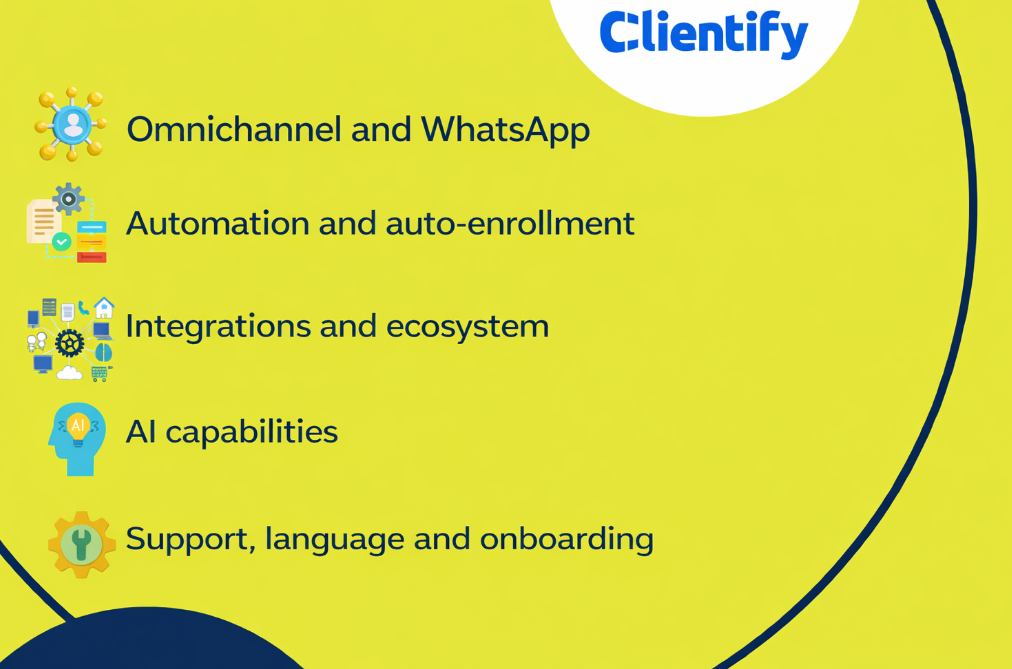
Key factors to choose the best CRM with AI
When choosing a CRM with AI for your company, the best one will always be the one that fits your way of working, your team and your goals.
That is why I think it is important to show you some factors that you should analyze when choosing this tool:
AI capabilities:
Ask yourself what your company needs from AI: the ability to compose emails, create summaries, analyze historical data to anticipate behaviors or closing probabilities?
Have virtual assistantsto help you give quick, personalized and automated answers? Or help you with design?
The good thing about all this is that, today, there are many CRMs with AI capable of doing all this, so you can choose the one that really boosts the way you work and the results of your business.
Omnichannel and WhatsApp:
Another key point when choosing your CRM with AI is based on its ability to manage all your communication from one place.
Most CRMs already integrate email, but not all of them allow you to work with WhatsApp, Instagram, Facebook Messenger, calls or web forms natively.
A smart CRM should allow you to see all conversations in a single dashboard, assign them to the right members and respond with context, without having to switch tabs.
So if your company is one of those that receive the most queries via WhatsApp, then verify that your CRM allows you to classify messages, automate initial responses and prioritize contacts according to urgency or purchase intent.
Automation and automatic registration:
I’m sure one of the big reasons you want to choose a CRM is to reduce manual work. And yes, with the amount of tasks your teams do, what better than someone (or something) to help them?
See if the CRM can automatically record the interested parties that enter through different channels, the interactions you have through emails, calls or private messages, etc. And can this AI generate summaries of everything you talked about so you have an overview and don’t waste time reading and researching everything that came before?
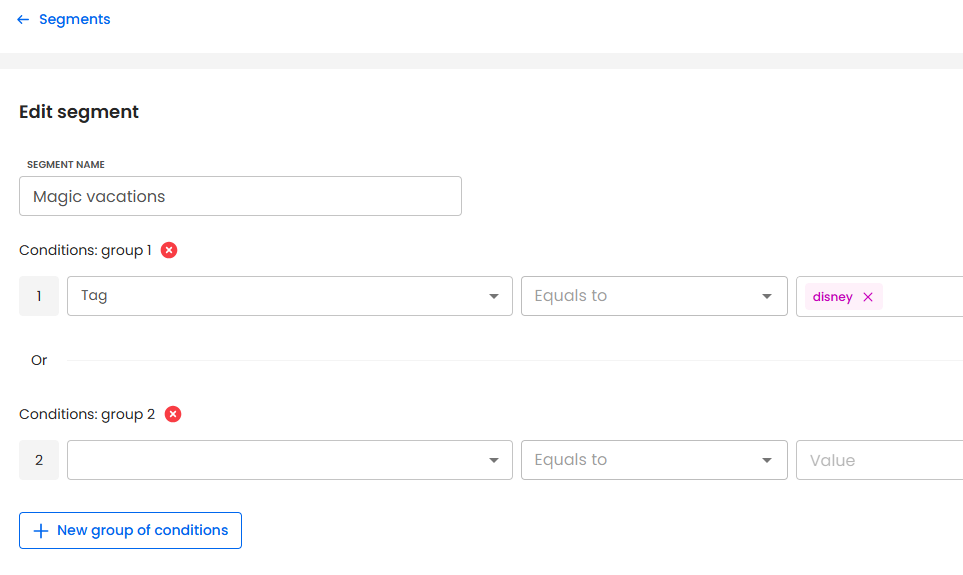
And what about automations? In addition to sending automatic email and WhatsApp messages, can you create a follow-up task when you detect a new sales opportunity? can you assign a scoring to the lead based on its behavior? and segment contacts by their data, purchases or interests?
And be careful, because due to the type of automations that some CRMs with AI offer, I assure you that the human touch that your company has will not be lost.
So let me give you a tip: the more automated actions you can implement, the more time you’ll get for your team to focus on what’s important… talking to customers and closing sales.
Integrations and ecosystem:
Yes, artificial intelligence is extremely necessary. But it’s not much use if the CRM is disconnected from all your other work systems.
Therefore, before choosing the CRM, check the level of integration it has with other e-commerce platforms, invoicing, metrics analysis, etc.
Also check which integrations are native, which ones through APIs and which ones depend on external connectors, as this has a huge influence when it comes to implementing it.
Support, language and time-to-value:
Remember that once you have chosen the CRM with AI, you have to implement it in your company.
So, no matter how brilliant the AI is, if support is limited, requires a technician to set it up , or they only have support and material in another language, then you have a reason to consider one of the other great options.
Before making your final decision, consider these three factors:
- Language and localization (interface and technical support in Spanish).
- Learning curve (if the team can start using it without relying on external consultants).
- Time to results (how quickly you can get your workflows up and running, your data centralized and your automations working).
CRMs that strike a balance between power and simplicity are the ones that really pay off.
The 10 most relevant CRM with AI in the market
Today, almost all CRMs incorporate artificial intelligence…but not all do so in the same way. Some focus on automating tasks and saving time, others on offering intelligent assistants to help you decide or generate content, and others focus mainly on getting new sales.
For this reason, I leave you with a comparison of some of the most outstanding CRMs with AI on the market, so that you can find out which one best suits your way of working and the needs of your company.
1. Clientify:
If you are looking for an all-in-one CRM with its own AI, then Clientify is a very good choice.
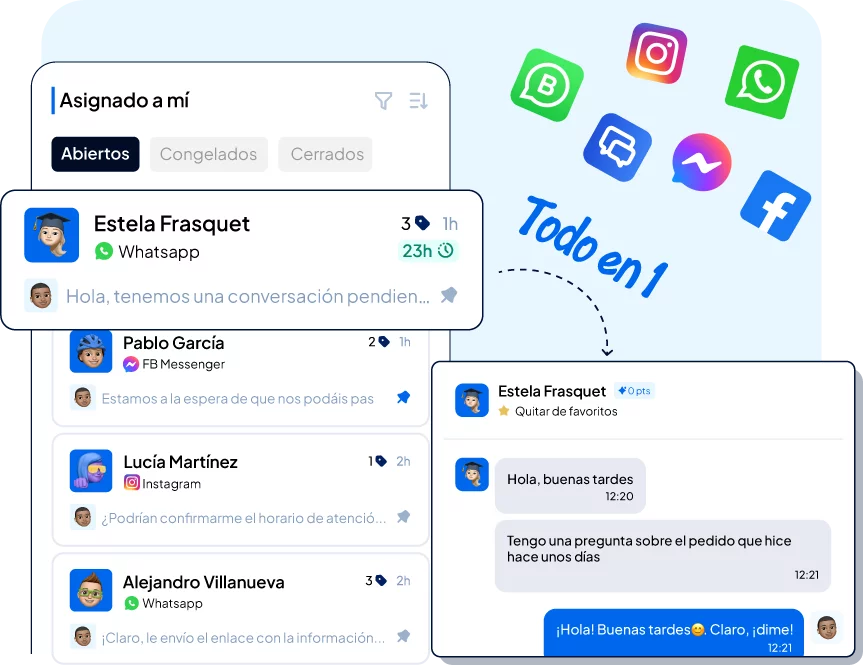
On the one hand, Clientify stands out for its multichannel Inbox and AI chatbot, both of which are fully integrated with the CRM.
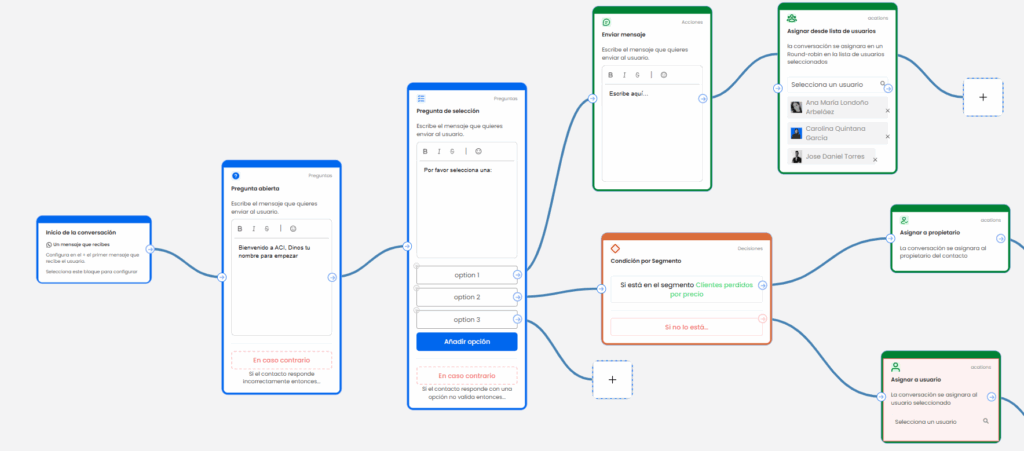
This centralizes all WhatsApp, email, Instagram, Messenger and Live Chat messages in a single tray, so you can then view the complete history, assign (automatically or manually) conversations to different specialists and trigger automatic tasks, actions or messages without leaving the thread.
The AI-powered chatbot is precisely designed to capture data, qualify, respond to your business with your brand tone, and leave each interaction logged in the contact’s record for the team to act on later. And having all the context and history within the CRM helps you accelerate time-to-value.
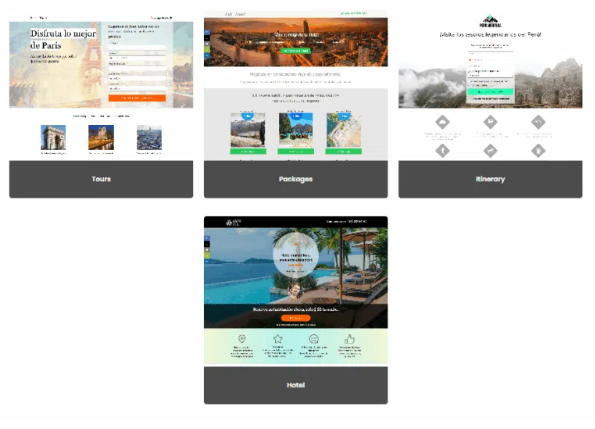
On the other hand, to generate demand, you have integrated (and AI-assisted) landing pages, forms, chatbots, popups, Live Chat, which feed your database and trigger flows from the first click, without code and under your own domain.
And AI is not just about content: you have specific AI agents to enrich companies and contacts with relevant data in seconds, write cold emails with real context, create business proposals with AI and send contracts and documents for electronic signature to accelerate the closing of opportunities; without leaving this same CRM.
2. Simla.com
If your company relies on WhatsApp, Facebook and Instagram to sell and support, Simla.com is a very strong option within the conversational CRM ecosystem with AI.
On the one hand, Simla.com stands out for its unified omnichannel inbox and intelligent chatbots, integrated directly into the CRM. This allows you to centralize all messages in one place, see the complete history of each customer, assign conversations to the right agent and trigger automatic responses or tasks without leaving the thread.
Its AI assistant works like a “virtual salesperson”: it captures data, qualifies leads, suggests responses in real time and records each interaction in the contact’s file, helping to speed up response times and improve the customer experience.
In addition, it features AI segmentation, automated campaigns and advanced analytics to measure conversion, agent performance and response times – all geared to support sales and digital service teams.
With support in Spanish, a focus on conversational sales and a simple interface, Simla.com is a very attractive alternative for companies in Latin America looking to respond faster, increase their sales and professionalize their social media support.
3. Bitrix24:
Bitrix24 is a tool that combines CRM, projects, internal communications and web.
It uses CoPilot as AI, mainly for CRM as it helps to compose messages, summarize texts, create checklists or even transcribe calls and fill in their fields automatically. An AI that is focused on saving post-call time and with the idea of reducing manual typing when managing negotiations with contacts.
In addition, as we said at the beginning, having CRM, automations, communications, documents, electronic signature and projects all under the same tool reduces your work time and avoids confusion that can be generated by having everything scattered in different platforms.
The downside of this CRM is the learning curve: because it is so comprehensive, it requires considerable time to implement and train the team.
Do it all with Clientify: capture, automate and close sales
Centralize all your communication, sales and marketing in one place. Try Clientify free and feel what it’s like to scale your business with AI without relying on experts.
4. ForceManager (Sage Sales Management):
This CRM, now under the Sage Sales Management brand, is highly oriented to field and “mobile-first” teams.
Your Sage Copilot works like an AI chat that answers questions about quotes, orders, customer data and pipeline, combining CRM and ERP information to return decision-ready charts and graphs.
If you spend the day between visits, having that co-pilot on hand reduces friction and gives you context without going into multiple menus.
In communication, it supports WhatsApp and integrates it into the traceability of the relationship, preventing the history from being lost on personal cell phones.
Customers value its rapid adoption and pure sales focus; but in projects with a lot of customization or high volumes, the cost can go up when adding advanced functionality.
So if your priority is to be productive on the road, have reliable ERP data and close the sales loop from the phone, their CRM+Copilot combo will work perfectly well for you.
5. Freshsales (Freshworks):
Freshworks integrates Freddy AI to help you prioritize, summarize contacts and conversations, generate emails and provide funnel recommendations .
The Freddy Copilot add-on is now generally available and adds real-time agent, translation and recommendation functions within the commercial workspace.
But be careful with the plan details: some advanced functionalities are offered as a paid add-on, so check the fine print if you want the full power of AI from the start.
If you come from Freshworks or are looking for practical AI that improves execution without complicating the tool, Freshsales is a solid bet with a good balance between ease of use and automation.
6. HubSpot:
HubSpot is an extremely powerful tool that has unified its AI under Breeze, in which on the one hand you have Breeze Assistant (a partner that understands your CRM data) and on the other Breeze Agents, which are specialized agents for marketing, sales and support; in addition to generating content and automatic translations.
As we said before, you have agents working on CRM data, calls and emails to execute end-to-end tasks, with analytics, to optimize your performance.
But keep in mind that access to and heavy use of certain agents is subject to HubSpot’s own credits, which means that the total cost can end up scaling a lot as you expand capabilities or volume.
7. Pipedrive:
Pipedrive adds AI with its Sales Assistant, which launches reminders, insights and actionable advice to move deals forward.
What’s new recently is that this assistant, powered by models such as OpenAI, also summarizes content and can help you compose notes and short emails, as well as suggest next steps based on deal activity.
So if you want order and cadence of follow-up, the experience is usually very agile.
But keep in mind something super important: for marketing and WhatsApp you have to use integrations, as it has no direct connections.
8. Salesforce:
Salesforce joined Agentforce, a platform for creating and governing autonomous agents that act on your sales, service and marketing data and processes.
Their approach enables agents to reason, securely query data and execute actions in Salesforce clouds (with Slack as the key interface for orchestrating conversational work).
If you operate at scale and need AI with security, audit and compliance controls, it is one of the most complete bets. But the trade-off is that to take advantage of it you need internal governance, data ownership and a team to lead adoption.
9. Salesflare:
Salesflare positions itself as the CRM that “does the registration work for you”.
Its AI captures emails and meetings, builds timelines by account and opportunity, and suggests next steps so you don’t lose track of every customer. It allows you to summarize interactions, inquire about the status of an account and even devise what to do next without having to review dozens of notes.
But be careful, because if you need advanced multichannel marketing or an ecosystem of different apps, it falls short and you have to combine it with other pieces.
10. Zoho CRM:
Zoho integrates AI under Zia. It offers conversion prediction, anomaly detection, automatic scoring, generative scoring for copywriting and summarizing, assembling sales flows and sales tasks.
In addition, it has integration with WhatsApp which adds points if you centralize channels.
But, as with any comprehensive tool, check what each edition comes with and what it implies in terms of activation by region/language .
| CRM | Type of AI or assistant | Strength | Main limitation |
| Clientify | Proprietary AI (landings, chatbots, proposals, data brokers, scripting, etc.) | CRM all in one: WhatsApp, AI, landing pages, RRSS, ecommerce, all to engage, nurture and close from one place. | It needs WhatsApp Business API (like all professional integrations). |
| Simla.com | Conversational AI assistant + chatbots (capture data, qualify leads), AI segmentation. | Unified omnichannel inbox within the CRM: history, allocation, automations and performance. | Requires good channel configuration (and WhatsApp via API). |
| Bitrix24 | CoPilot (AI integrated in CRM, projects and communications) | Complete suite with AI that composes, summarizes and automates post-call tasks. | High learning curve due to the number of modules. |
| ForceManager (Sage Sales Management) | Sage Copilot (conversational AI connected to the ERP) | Mobile AI that answers sales questions and displays ERP data in seconds. | Higher cost in projects with high customization or large volumes. |
| Freshsales (Freshworks) | Freddy Copilot | Prioritize leads, summarize conversations and generate emails with AI. | Advanced features available only in higher plans or as add-on. |
| HubSpot | Breeze Assistant + Breeze Agents | Intelligent agents for marketing, sales and support integrated across the HubSpot ecosystem. | Scale of costs per credit and volume of agent usage. |
| Pipedrive | Sales Assistant (powered by OpenAI) | Suggestions, reminders and automatic deal summaries. | No native integration with WhatsApp or multichannel marketing. |
| Salesforce | Agentforce (autonomous agents with secure reasoning and actions) | Advanced enterprise AI, governance and total security. | Requires technical resources and internal data management. |
| Salesflare | Proprietary AI focused on automating logging and tracking | Automates data entry and suggests actions without manual effort. | Limited in marketing functions or app ecosystem. |
| Zoho CRM | Zia (cross-sectional predictive and generative AI) | Integrated AI in sales, support and marketing, with automatic forecasts and summaries. | Some functions vary according to edition and language. |
Which CRM with AI is right for you depending on the size of your company?
Choosing a CRM with artificial intelligence is not only a question of functionality, but also of scale and resources. It is not the same to implement a platform in a micro-company as in a company with several departments or countries.
The key is to find the balance between what you need today and what will allow you to grow tomorrow, without overpaying or losing agility .
Microenterprise or digital freelancers:
I understand that if you work alone or with a very small team, you want everything to be simple and quick to implement. And that’s why you need a tool that doesn’t require a lot of technical training or weeks of configuration.
And the most suitable CRMs with AI are those that offer preconfigured templates, intelligent wizards and ready-to-use automations . Look for a CRM that helps you to register leads automatically, send quick responses via WhatsApp or email and centralize everything in one place.
Keep in mind that if you choose an extremely simple tool later, when your business grows, it can be very limited. That’s why it’s best to go for a CRM that combines this initial ease of use with expansion options and that has no hidden costs for each integration.
Growing SMEs (teams of 5 to 50 people):
When it comes to maintaining order and achieving efficiency without multiplying effort, AI is your best ally.
That’s why you should look for a CRM with AI to help you prioritize opportunities, automate routine tasks and centralize multichannel communication (especially WhatsApp, mail and networks).
In addition, a CRM with landing pages, chatbots and intelligent scoring allows you to capture, nurture and close customers… all without leaving this same environment.
The most common risk at this stage is to miscalculate the total cost: some systems charge for additional modules or users, and the bill can go up quickly. Before deciding, check the sending, channel and data volume limits included in each plan.
Mid-market and large companies (more than 50 users):
Bigger company… more complex processes. That’s why the AI-enabled CRM you choose must be able to integrate with your existing systems (ERP, accounting, customer service, BI) and ensure security, compliance and advanced customization.
It uses AI for predictive analytics , advanced segmentation and automation of sales, support and marketing processes across departments.
CRMs like Salesforce or Zoho offer tremendous power, but they also require technical resources, data governance and implementation that often takes months.
That’s why many companies choose intermediate solutions that combine the flexibility of an agile CRM with integrated AI and a shorter time-to-value…think that your priority should not be to have more AI, but to use AI in a strategic way connecting information between different areas.
Limitations and best practices when using AI in your CRM
We already know that artificial intelligence is an incredible ally for sales, marketing and customer service departments, but keep in mind that its performance depends directly on the quality of the data you give it, how you configure it and the ethical and legal boundaries you respect.
Therefore, before starting to automate everything, it is advisable to be clear about your limitations and thus apply your best practices.
Most common limitations:
- Bias in training data:
If your CRM accumulates incomplete or outdated information, AI may replicate errors or favor certain patterns without context. - Dependence on the quality of the inputs:
AI doesn’t know more than your data. If leads are misclassified, tags are inconsistent or opportunities are not closed correctly, predictive models or automatic summaries will generate inaccurate conclusions. - Privacy and compliance:
It is essential to review privacy policies, where the data is hosted and whether the tool complies with regulations such as GDPR. Not all providers offer the same level of control over information. - Lack of internal guidelines:
Without clear policies on what can be automated and what should be reviewed by a human, it is easy to fall into indiscriminate use of AI. This can affect both the quality of customer service and the consistency of brand discourse.
Best practices for using AI responsibly:
- Start with low-risk, high-impact tasks:
Automate tasks such as recruitment, qualification, lead assignment, welcome and reminder messages, etc. first. - Validate results with human oversight:
AI gives you context and speed, but important decisions, such as pricing or contract closings, must go through review. Remember that human judgment is still key. - Clean and unify your database before applying AI:
The more ordered and up-to-date your information is, the better the predictions and summaries will be. - Documents usage rules and automation limits:
Define who can create, what data they can use and what actions they can execute. This avoids errors, information leaks or out-of-tune responses. - Periodically review your flows and results:
AI learns from what it sees. If your processes change or your market evolves, review the automations and retrain the models so that they remain aligned with your objectives.
FAQS
1. What is a CRM with artificial intelligence?
An AI-enabled CRM is a platform that combines customer management with algorithms capable of learning from the behavior of your contacts, automating tasks and providing you with intelligent recommendations.
While a traditional CRM stores information, one with AI interprets it: it detects patterns, predicts purchase probabilities, suggests next steps or even composes automatic messages and summaries.
2. Does AI replace the sales or marketing team?
No. Artificial intelligence doesn’t replace human expertise and judgment; it enhances it. Its role is to eliminate repetitive work, such as logging calls, sending reminders or summarizing interactions, so your team can spend its time on what really matters: understanding the customer, closing opportunities and building relationships.
Think of AI as a co-pilot, not a replacement.
What if my data is “dirty” or incomplete?
AI results depend directly on the quality of your data. If your CRM contains duplicate contacts, empty fields or outdated information, AI may provide inaccurate recommendations.
Therefore, before activating wizards or automations, it is advisable to clean and unify your database.
Do I need the WhatsApp API to have omnichannel communication?
Yes, if you want to operate professionally and with full traceability. The official WhatsApp Business Platform API allows you to connect multiple agents, use approved templates and record all conversations within the CRM.
In Clientify, this integration comes out of the box: you can attend from the multichannel Inbox, automate messages, connect the chatbot with AI and keep the conversation linked to the contact, without relying on personal mobiles.
5. Can I start without technical equipment or without knowing AI?
Of course. Today most CRMs with AI are designed for non-technical users.
In Clientify, for example, you can activate chatbots, create landing pages or automate campaigns with guided wizards and ready-to-customize templates.
Technology adapts to you, not the other way around. The important thing is to be clear about what process you want to improve and let the AI do the rest.
Conclusion
You saw… a CRM with AI allows you to work with more order, more context and less effort, integrating recruitment, communication and sales, in the same platform.
It’s not about choosing the most famous CRM or the most expensive one, but the one that best suits your way of working: the one that offers you uncomplicated automation, useful information, integrations with your communication channels and a quick and (in the end) simple implementation.
So, if you want to see how an AI can help you manage everything from one place and sell more, sign up for our free trial of our Clientify CRM.
And just in less than a day, you will have all your channels connected and your first active AI chatbot serving leads.