

If you are reading this, then I imagine that today you already use WhatsApp to talk to your customers.
But do you also feel that the hours of the day go by and you didn’t answer a single message… or on the contrary, that you spent all day answering and you couldn’t do anything else?
If your answer is yes, don’t worry, it’s much more normal than you think.
Managing WhatsApp when you have dozens of queries a day, customers asking for prices, appointments, availability… can become a madness.
But fortunately this doesn’t have to stay that way: today there are tools that allow you to automate a large part of these conversations… without losing the human touch.
And that’s why I wrote this post, to show you what you can automate and how to design automations for WhatsApp with a CRM like Clientify.
Subscribe to Clientify’s blog
Do you like marketing, automation or just seeing how other people do things right? Then subscribe.
Every week we send you what we would like to receive: direct and actionable content.
What are automations for WhatsApp?
Automations for WhatsApp are specially designed streams that send messages automatically when something happens.
Let’s bring it to reality. Think of a lead who leaves you their contact for the first time in a form, or a person who finally leaves their cart abandoned, or the times when you want to make sure that the customer is going to attend their appointment…Well, in all these cases you can send an automatic, but at the same time highly personalized WhatsApp message.
The idea of automations for WhatsApp is not that you stop talking to your customers, far from it; rather, they help you get rid of those time-consuming tasks that take up your time every day.
Just think, when you automate well, three things happen: your response times go down dramatically, your conversion rates go up, and your team stops putting out fires in chat.
And there it is, with automations, your WhatsApp stops being a chaos with pending messages and becomes an orderly channel, flowing by itself.
How to know when to implement automations for WhatsApp?
Now that you know how important are the automations for WhatsApp, it is normal that you ask yourself… And now when should I implement them? And precisely this question has two answers. I’ll explain why:
On the one hand, there are the key moments in the customer journey, those moments when a message sent on time can make the difference between someone moving forward… or getting lost along the way.
As we said before: when a lead leaves you their data, when they need to confirm an appointment or when they are analyzing your budget… that’s where automations shine, because they arrive just in time, without your team having to be 100% aware of them.
But, on the other hand, there is the moment when your business realizes that it can no longer continue without automating.
That point when you don’t get to answer everything, conversations repeat themselves, the chat gets messy and you want to measure real results; but there is no human way to do it manually. And that’s the instant when WhatsApp stops being “just WhatsApp” and becomes your main sales channel.
So when both scenarios coincide, that’s where automation becomes essential.
The 4 best converting automations for WhatsApp
Companies that sell more through WhatsApp are not because they are luckier, believe me. I tell you from experience. What really makes the difference is that they have flows designed to respond, nurture and close sales automatically… but without sounding like a robot.
And be careful, because there are thousands of automations, but the ones that really convert are those that accompany the customer at every stage of the process: from the moment they leave their data until after the purchase.
1. Recruitment and qualification:
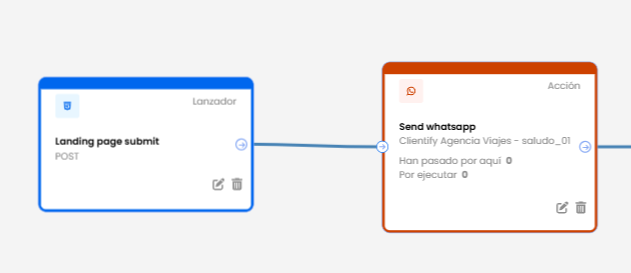
Every time someone fills out a form, downloads a guide or clicks on a WhatsApp ad, they should receive an instant message.
In this phase, you can automate welcome messages that are triggered just when a new contact arrives, include short questions to qualify them (for example, what service they are looking for or what city they are in) and assign them to the most appropriate agent.
This way the lead enters the right flow from minute one and you don’t lose opportunities simply because of a lack of response.
Think: a timely greeting makes the difference between an interested lead and one that goes cold.
2. Sales:
WhatsApp is the perfect channel to not let a lead go cold after a demo or a proposal sent. And it is precisely in this phase that automations help you keep the conversation alive, but without pressuring.
You can schedule an automatic follow-up message three days after the meeting, or a gentle reminder if the proposal has not been accepted. You can also send automatic alerts when a payment deadline is approaching or a promotion is about to end.
The key is the tone: direct, human and personalized. Automations do not replace the salesperson, they help him/her to arrive at the right moment, with the right message.
3. After-sales and loyalty:
After-sales service can also be automated without losing proximity. Through WhatsApp messages you can ask for feedback right after closing a sale or delivering an order.
Another key aspect of the automations that WhatsApp allows you to do is to set up automatic messages outside of business hours so that the customer knows when they will receive a response.
I assure you that this not only improves the customer experience, it also reduces the burden on your support team as many queries are resolved before someone has to intervene.
4. Daily management and reminders:
Your customer’s buying process has much more than just sales and closing stages.
And for these moments you can also define automations for WhatsApp that are more operational, such as the notice that the product is on its way, the confirmation of an appointment, the request for invoice data, etc.
Think that these automations not only help sales teams, but also give a big hand to all the other departments that are part of your company and that also need to save hours of their manual management.
How to create automations for WhatsApp with Clientify?
Let’s start at the beginning. To implement automation you need to have two key factors: WhatsApp Business and a CRM.
And the great thing about a CRM like Clientify is that it allows you to design automation flows in an extremely simple way and without the need to be an expert in configurations or technical knowledge.
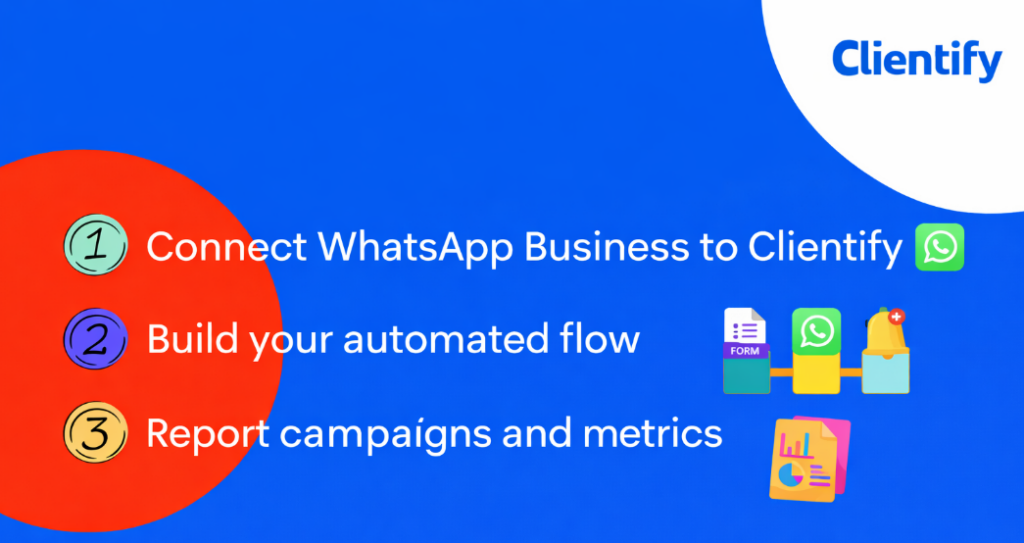
Step 1-Connect WhastApp Business to Clientify:
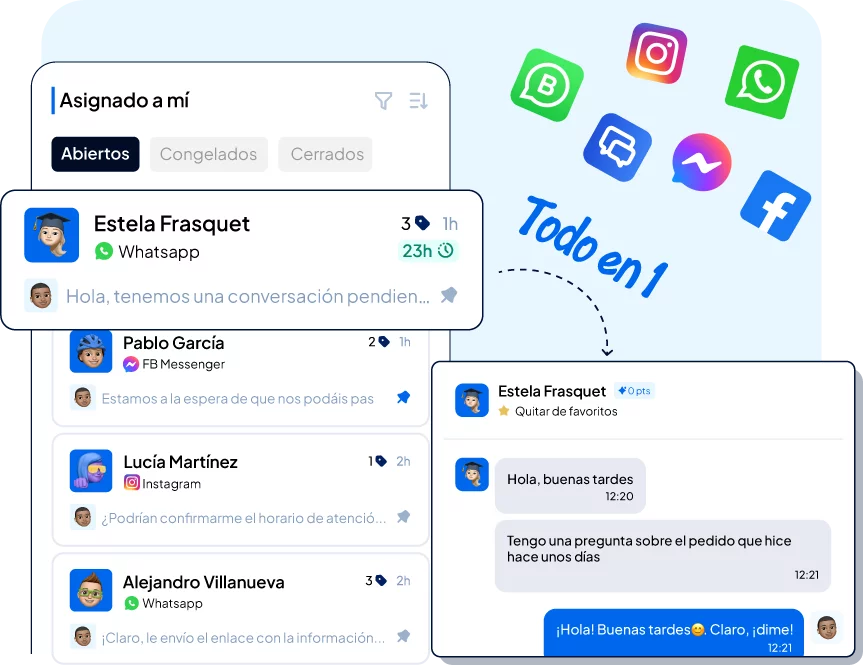
The first step is to connect your WhatsApp Business number through the Cloud API. From that very moment, all conversations automatically start to enter the Clientify Inbox, along with email, Instagram, Facebook Messenger and Live Chat messages.
On the other hand, once your WhatsApp number is connected to the CRM, you also have the possibility to create a chatbot with AI and thus give automatic answers to frequently asked questions, guide the lead in his conversation to qualify him and assign conversations automatically according to language, keyword, specialized agent, etc.; to ensure that no message goes unanswered.
You saw, from having all the messages scattered in your cell phone, email and social media inbox, you went from having everything ordered, organized and controlled in a single inbox, where each conversation has a responsible person and an assured follow-up.
Step 2-Build your automatic flow:
With the channel already connected, it is time to create your first automation.
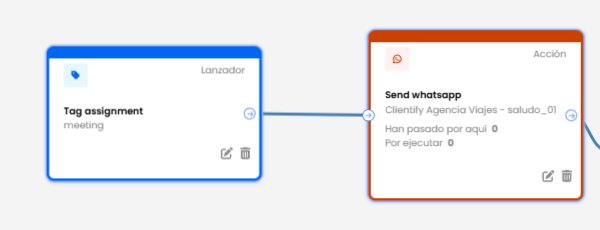
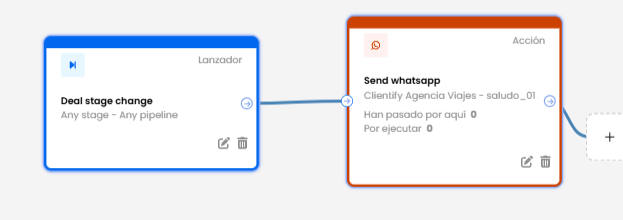
From the marketing-automations module, you assign a name and start by choosing a trigger ( something that triggers an automatic action).
The good thing is that Clientify has a large number of launchers for you to choose between landings and completed forms, tag assignment, specific dates, modifications in the sales opportunity, abandoned carts or confirmed purchases, etc.
Once you have chosen the launcher, you can define the action , which in this case is the automatic sending of a WhatsApp message.
Keep in mind that Clientify works with official WhatsApp templates so that everything complies with the rules and there are no blocks. Therefore, before defining an automated flow, you must have the template created and verified by META.
On the other hand, these messages that will be sent automatically can be personalized with the name of the contact, the product purchased, the renewal date, etc. and even include links or quick reply buttons.
Third step-Campaign reporting and metrics:
Remember that from Clientify reports you can see the metrics of your WhatsApp automatic campaigns. In these reports you will find the number of messages sent, read rate, etc.
On the other hand, each automatic flow will show you the number of people who went through that automation, which contacts or customers they are; so that from there you can analyze which automations are generating more responses, which ones need adjustments and where it is convenient to invest more effort.
From there, all you have to do is scale: duplicate the flows that work best, test new messages and extend automation to other phases of the process (post-sales, loyalty, campaigns, etc.).
Best practices for your WhatsApp automations
Be careful, because automating WhatsApp messages does not mean losing the personal touch or skipping the rules.
To make your flows work in the long run and maintain an impeccable reputation with META and your customers, there are a few rules you must follow from the start:
- Always ask for the opt-in before writing: WhatsApp is a personal channel, and META requires that the user agrees to receive messages from you. You can obtain this consent through forms, landings or campaigns with clear CTAs. This way you guarantee deliverability and avoid blockages.
- Comply with GDPR and protect data: Only send information related to the purpose for which the contact gave you their number. Make sure your databases are up to date, segmented and have a record of consent. This not only avoids penalties, but also reinforces customer trust.
- Respect WhatsApp limits and policies: The app and API have frequency and content rules. You cannot send mass messages without permission, nor use templates with misleading promotional content. Keep your streams within the approved categories and you will see your reputation improve over time.
- Take care of the human tone of your messages: Even if they are automatic, messages should sound close and natural. Use the customer’s name, thank them, say goodbye and keep sentences short. Automations are not bots, they are your voice acting faster and more coherently.
- Update and review your flows frequently: Rules and policies change, and so does your business. Periodically review your automations to make sure they continue to meet legal requirements and that each message continues to make sense to the recipient.
Do it all with Clientify: capture, automate and close sales
Centralize all your communication, sales and marketing in one place. Try Clientify free for 7 days and feel what it’s like to scale your business with AI without relying on experts.
FAQs
1. Do I need the WhatsApp API to automate?
It depends on what you want to do. If you’re just looking for welcome messages or basic autoresponders, the WhatsApp Business App may suffice.
But if you need advanced flows, chatbots, metrics and teamwork from the same Inbox, then yes: you need the Cloud API connected to a platform like Clientify.
2. Can I send mass messages via WhatsApp?
Only with the Cloud API and using Meta approved templates. These templates must comply with the GDPR and WhatsApp policies. The app does not allow campaigns or messages to contacts who have not initiated a conversation or given their consent.
3. How long does it take to assemble everything?
In most cases, you can have everything operational in a few days. Connecting the number, creating your templates, defining your first automations and testing flows requires no programming. Within a week you can be responding automatically and measuring results.
Is there a limit to the number of messages I can send?
There is no fixed number but META defines sending levels according to your reputation and number validation. The higher your quality and the more positive interactions you have, the more volume you can handle.
The good news is that Clientify helps you maintain that reputation by controlling the pace and type of messages you send.
5. Can several people use it at the same time?
Of course. With Clientify’s API and Inbox, your team can attend from a single shared inbox. Each conversation is assigned to an agent automatically, with rules and priorities, to avoid confusion or duplicate responses.
6. What happens if a customer responds after hours?
You can automate an absence message that lets you know when you will be available again, and then activate a flow so that the lead does not get lost. This way you keep communication flowing without having to be on call 24 hours a day.
Conclusion
You see, automations for WhatsApp are a key tool…mainly for businesses that work with this channel, who want to start responding faster, stop missing opportunities and accompany the customer throughout their journey , generating a very good shopping experience.
Remember that the idea is not to replace human communication, but to enhance it, sending messages with a close and personalized tone, to the right people at the right time.
Take advantage of Clientify’s free trial to connect your WhatsApp to the Inbox and start designing your automated flows and campaigns.